
Board Reporting
Your Quarterly Board Report, Built From Live Data
Every quarter, your board deck is generated from the progress your team already tracks: KPI trends against goal, objective-by-objective status, and organization health across the whole plan — delivered as an editable PowerPoint, not a locked PDF.
A real generated report (PowerPoint, ~530 KB). No form, no email required.
Board Prep Goes From a Week of Compiling to an Hour of Reviewing
The slow part of a board report was never the writing. It’s chasing updates from every program lead, reconciling three versions of the same spreadsheet, and rebuilding the same slides every quarter — so the plan ends up living in five places: a PDF, a spreadsheet, someone’s notes, the board packet, and email.
When the plan and the progress live in one system, the deck is a byproduct of work your team already did. You spend the week before the meeting reading it, not assembling it.
What’s Actually in the Report
Everything below is in the sample you can download — generated, not hand-built.
-
Strategy framework
Mission, vision, and every strategic pillar on one page, with the objectives that sit under each.
-
Organization health
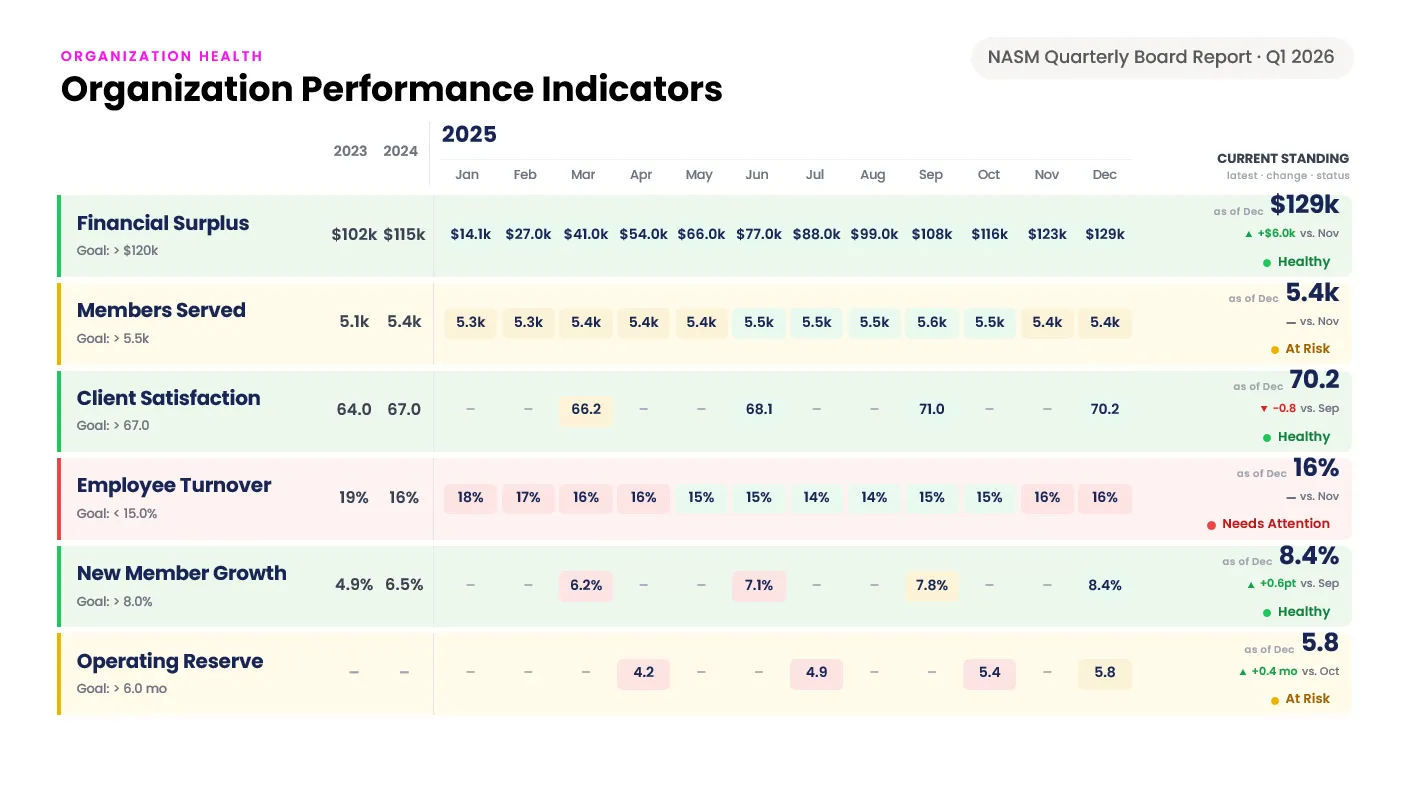
Each KPI’s month-by-month trend against its goal, with current standing, direction of travel, and a health status.
-
Alignment matrices
Which pillars — and which committees — connect to each objective, so the board can see coverage and gaps at a glance.
-
Performance summaries
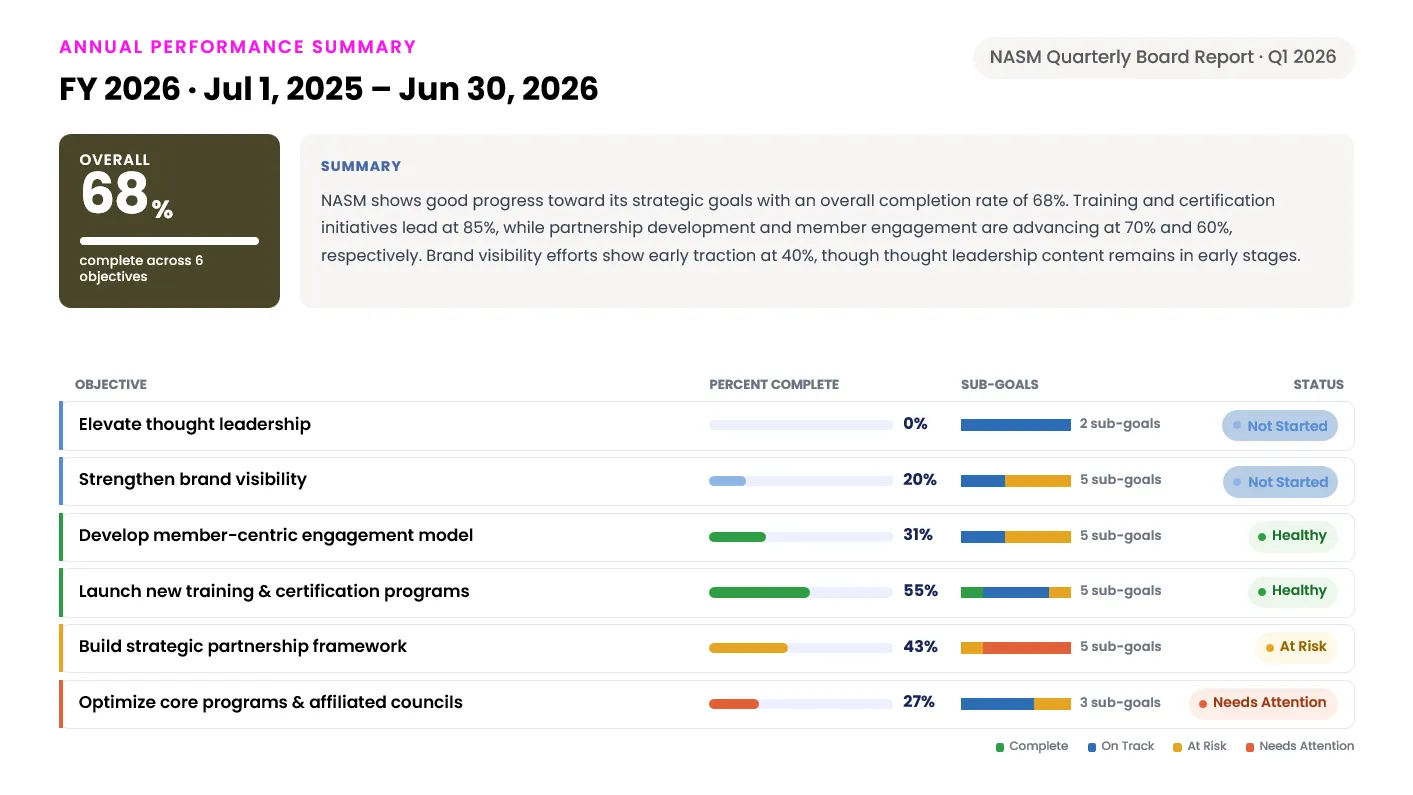
Annual and quarterly percent-complete across every objective, with sub-goal counts and status on each.
-
Objective detail
Key results with due dates, percent complete, status, and the progress notes your team wrote during the quarter.
-
Committee-filtered editions
The same report narrowed to one committee’s objectives, so each group gets a deck about their own work.
How the Report Builds Itself
-
01
Your plan lives in StratSimple
Pillars, objectives, key results, and KPIs — structured once, in your own terminology.
-
02
Owners update their own goals
Progress, status, and notes come from the people doing the work, not from someone chasing them by email.
-
03
The report generates itself
Each quarter the deck is built from whatever the data says that day — no compiling, no copy-paste, no version drift.
-
04
You add the commentary
It arrives as an editable PowerPoint. Add context, cut a slide, brand it, and present it as your own.
Already a customer? See how to configure the quarterly report, or read more about the dashboard the data comes from.
See It Built From Your Own Plan
A 20-minute walkthrough using your strategic plan and your KPIs. No prep required.