
Product Updates
Start Dates for Goals (and smarter update reminders)
Feature highlight: Start Dates for Goals (and smarter update reminders)
Set Start Dates on goals so StratSimple waits to send update reminders until the work actually begins, and your dashboard stays clean and easy to scan.
What it does
- Add a Start Date to any goal (in addition to an optional Due Date).
- If a goal’s Start Date is in the future, StratSimple won’t schedule update reminder emails until that start date has passed.
- On the dashboard: - Start Dates always appear in gray. - Once the Start Date passes, it stops showing. - If the goal also has a Due Date, the Due Date replaces the Start Date on the dashboard.
Why this matters
- Build realistic timelines without getting prompted for progress before work begins.
- Reduce noise for teams managing lots of goals at once.
- Keep accountability focused on the right time window.
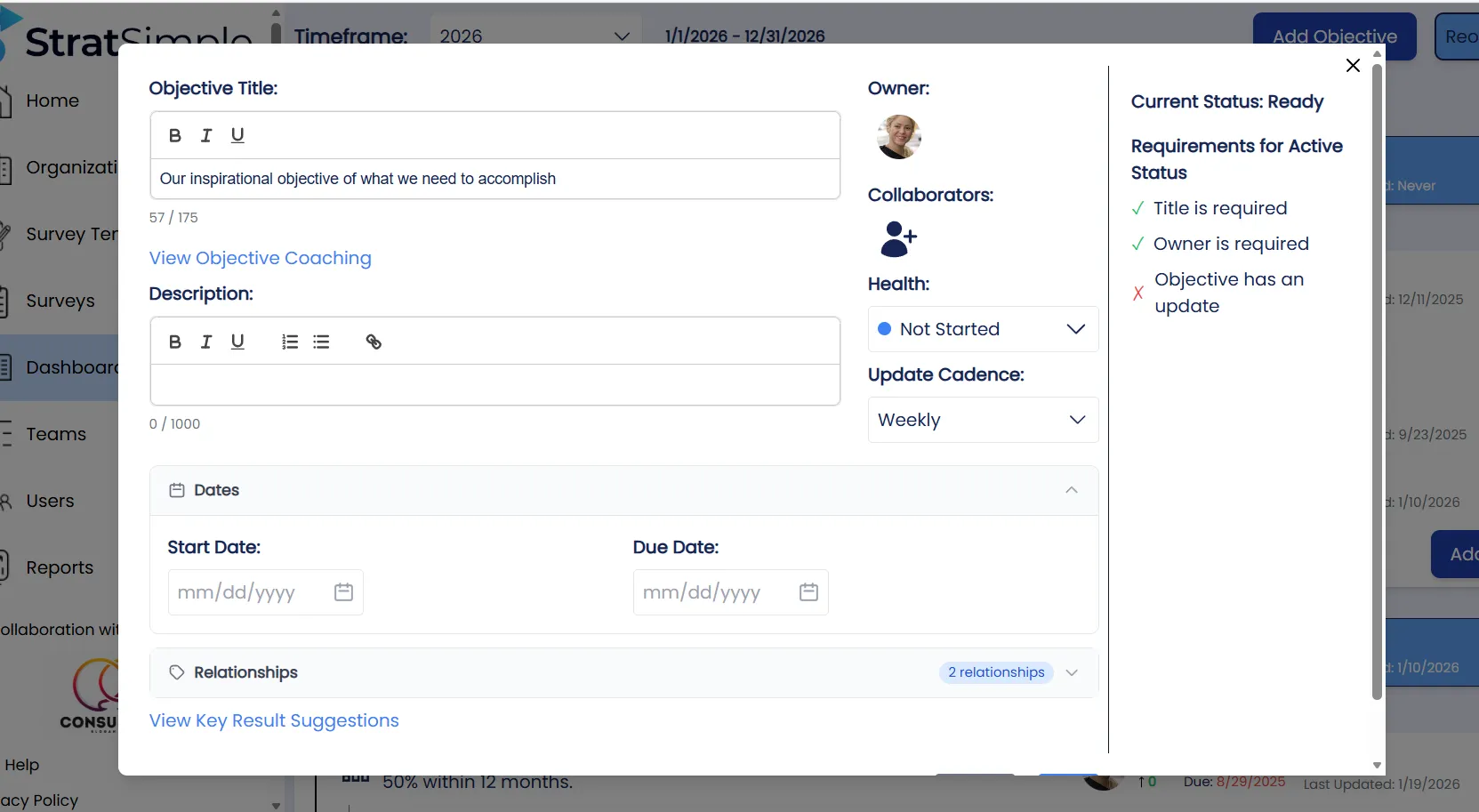
How to use it
- Go to your Dashboard and select a Goal.
- Click Edit.
- In the Dates section, add a Start Date (optional) and a Due Date (optional).
- Save.
Pro tip
Use Start Dates for goals you know won’t begin until later (for example, a grant application you’re starting next quarter). StratSimple will start scheduling update reminders only after the Start Date has passed.