
Product Updates
Add Custom Cadences for your email update reminders
What’s New
StratSimple now gives you greater control over your update cadences from within your Org Settings. You can create custom cadence schedules, adjust frequencies, and set a default cadence.
Why This Matters
Keeping your team aligned depends on timely, consistent updates — and a one-size-fits-all schedule rarely works for every organization. By customizing your cadence, you ensure that reminders go out at the right frequency for your team’s workflow, whether that’s every few weeks or every few months. This reduces missed updates and keeps your strategy execution on track without unnecessary manual effort. Setting your favorite cadence as the default will speed up the process when you enter new goals.
How to Use it
Navigate to Org Settings from anywhere within your organization. This is available for Admin users only.
Click on the Health and Cadence option in the menu on the left.
Review your current health statuses and cadences.
To add a new custom cadence, or edit an existing one, click the “Edit Cadences” button.
Name your new cadence.
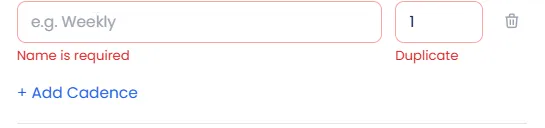
Set your desired frequency for the cadence. This is measured in weeks.
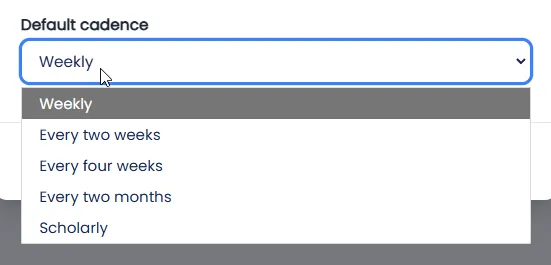
Select your default cadence to save time when you’re entering new goals.
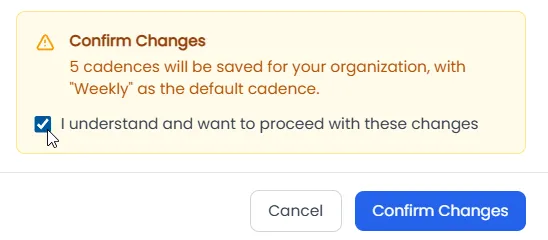
Click Save Changes when finished.
Confirm the changes when prompted.
Return to your dashboard and edit any item to apply your newly configured cadence. New goals will use the new default, if you changed it.
Here’s a brief video demonstrating how to do this:
Closing Statement
With flexible cadence settings, you’re in full control of how and when your team stays aligned. Tailor your update rhythm to match your organization’s unique pace — and let Stratsimple handle the reminders so you can stay focused on what matters most.